

Top Mobile Apps That Simplify Preparing Your Flight Itinerary for Visa Application
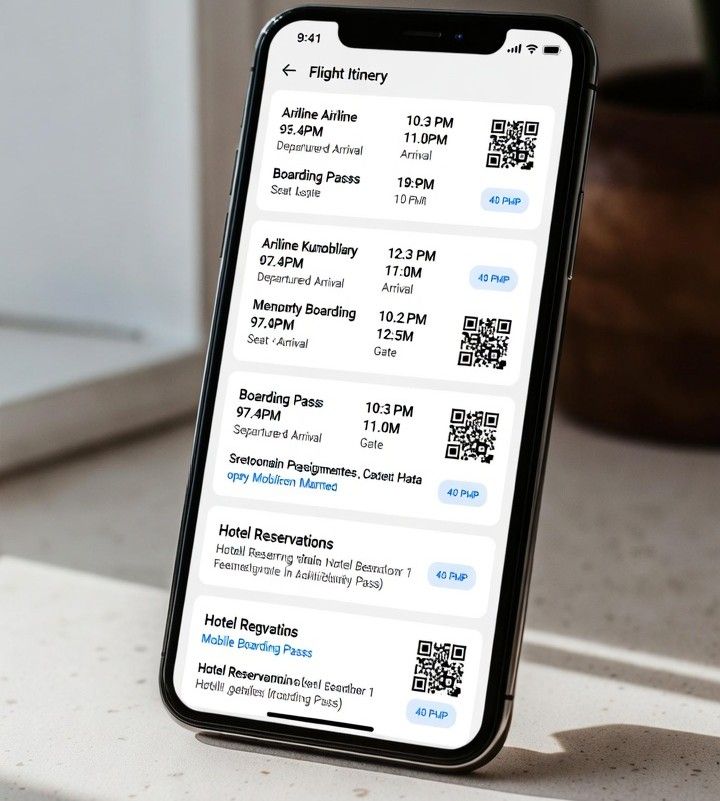
flight itinerary

More than half of visa rejections worldwide are linked to incomplete or inconsistent travel documents, according to migration consultants who track application outcomes across regions. That reality has pushed travelers to look for tools that reduce mistakes and keep paperwork organized. Mobile apps have quietly become essential helpers in visa preparation, turning a stressful process into a guided checklist that fits in your pocket.

For applicants who must show proof of future travel, apps now work hand in hand with services that generate temporary confirmations, such as an onward travel ticket. Instead of printing scattered emails or screenshots, travelers can store digital reservations, upload supporting files, and receive reminders before embassy deadlines. This mix of automation and oversight helps applicants stay calm and consistent.

Why Mobile Apps Matter for Visa Preparation

Visa applications demand precision. Dates must align, names must match passports, and supporting documents must be easy to verify. Many of the same principles that define the qualities of a good application apply here, clarity, consistency, and reliability.

Mobile apps help by centralizing information. They reduce human error and give travelers confidence that nothing is missing.

Another advantage is speed. When an embassy asks for additional documents, an app makes it possible to retrieve and resend files within minutes. This responsiveness can make a real difference in tight processing windows.

Top Mobile Apps Travelers Rely On

TripIt

TripIt automatically organizes flight, hotel, and transport details by scanning confirmation emails. For visa purposes, it creates a clean timeline that shows intended travel dates at a glance. Travelers can export or screenshot itineraries that match embassy requirements.

Google Travel

Google Travel connects bookings from Gmail and displays them in a simple dashboard. Its strength lies in reliability and cross-device access. When paired with temporary bookings from services like Oroba, it helps applicants present a clear travel plan without overbooking.

App in the Air

Frequent flyers favor App in the Air for its real-time flight tracking and alerts. For visa preparation, the value is in push notifications and status updates. These features help travelers confirm that their planned routes are realistic and current.

Dropbox

Dropbox is not a travel app, but it plays a key role in visa documentation. Users scan passports, upload itineraries, and store approval letters in folders that sync across devices. Embassies often accept digital copies, making secure cloud storage a practical choice.

Notion

Notion acts as a customizable command center. Travelers build visa checklists, embed files, and add deadline reminders. It suits applicants juggling multiple visas or long-term travel plans that require careful tracking.

Must-Have Features in Travel and Visa Apps

  • Document upload with clear file naming
  • Push notifications for embassy deadlines
  • Offline access to saved files
  • Easy export to PDF or image format
  • Secure cloud sync across devices

Apps that integrate smoothly with external services stand out. When travelers combine itinerary generators with storage and reminder tools, they create a workflow that mirrors what visa officers expect to see.

Integrating Apps With Oroba Travel Services

Temporary flight and hotel reservations are often required during visa review. Apps allow travelers to import these confirmations and align them with other documents. Using an onward travel ticket through Oroba travel services, applicants can present a compliant itinerary without committing to full travel costs. Once approved, plans can be updated or finalized.

Tips for Cross-Platform Usability

Choose apps that work on both iOS and Android to avoid gaps when switching devices. Cloud sync matters more than design. Travelers should test export options early and confirm that files open correctly on different phones and laptops.

Simple interfaces reduce stress. Apps that load quickly and label files clearly help users stay focused on accuracy rather than navigation.

Conclusion

Visa preparation no longer has to feel overwhelming. With the right mix of mobile apps, travelers can generate, store, and submit documents with confidence. Tools that support services like an onward travel ticket bring structure to a process that once felt chaotic. When apps handle organization, travelers can focus on the journey ahead.

Apps and Online Reputation: How Digital Tools Shape Your Image Today

Your online reputation can make or break your presence. Whether you’re a business owner, freelancer, or professional, the way you appear on the internet influences how people see you. Thanks to mobile apps and online platforms, managing your reputation has become easier, faster, and more effective. These tools give you control over your public image and help you build trust in a digital space where opinions spread fast.

The Power of Online Reputation

Online reputation refers to how others perceive you or your business based on what they find online. This includes reviews, ratings, comments, articles, and social media posts. People tend to trust online feedback just as much as personal recommendations. A single negative review or viral post can affect how potential customers or employers see you.

For businesses, reputation affects sales and partnerships. For individuals, it can influence hiring decisions or collaborations. That’s why more people are turning to apps and tools that help track and manage what’s being said about them. These tools allow users to respond to feedback, highlight positive content, and quickly address any issues that might harm their image.

Top Apps for Managing Your Online Reputation

Many apps now make it simple to monitor and improve your digital presence. Here are some of the most useful ones:

  • 1. Google Alerts

This free tool sends notifications whenever your name or business appears online. You can set up alerts for keywords, brand names, or competitors. It’s a simple way to stay informed about mentions in blogs, forums, and news articles without manually searching.

  • 2. Hootsuite

Hootsuite is a popular social media management app that allows users to schedule posts and track brand mentions across platforms like Facebook, Instagram, and X (Twitter). Its dashboard makes it easy to reply to comments quickly and maintain an active, professional online image.

  • 3. Trustpilot and Yelp

For businesses, platforms like Trustpilot and Yelp are essential for gathering and managing reviews. These apps allow you to respond to feedback directly, which shows that you care about customer experience. Engaging with reviews whether good or bad, can turn one-time buyers into loyal customers.

  • 4. Mention

Mention helps track conversations about your brand or name across websites, blogs, and social media. It gives insights into what people are saying and helps identify areas where your reputation may need attention.

  • 5. Canva and Later

Maintaining a positive online image also means having polished, consistent content. Canva lets you design professional posts easily, while Later helps you plan and publish them at the right times. Consistent branding and posting can help you appear more trustworthy and reliable online.

Why Apps Matter for Reputation Management

Before the digital era, reputation spread through word of mouth. Today, it spreads through search engines, social media, and review platforms. Apps make reputation management more efficient because they allow you to react fast.

If someone posts a negative review, you can respond within minutes using your phone. If your name appears in an article, an alert can notify you instantly. These quick actions prevent small issues from turning into bigger ones. Apps also collect valuable data. You can see trends in public opinion, track engagement, and even discover what type of content improves your image the most.

Businesses that use reputation management tools tend to rank higher in search results. This is because active engagement signals credibility to both users and algorithms. In simple terms, apps help you look better online and perform better in search engines.

Building a Strong Online Presence

Apps can only do so much if you don’t create a foundation of trust and transparency. To build a strong online reputation, consider these practical habits:

  • Be consistent across platforms. Make sure your profiles, logos, and tone of voice align. Consistency makes your brand recognizable and reliable.
  • Encourage positive reviews. Ask satisfied customers to share their experiences online. People are more likely to choose a business with recent, genuine reviews.
  • Address feedback professionally. If you receive criticism, reply calmly and offer solutions. This shows professionalism and care. Avoid emotional or defensive responses.
  • Share useful content. Post educational, entertaining, or inspiring content. Whether it’s tips, news, or updates, useful posts encourage people to follow and trust you.
  • Keep your information updated. Incorrect details like outdated contact information can frustrate potential customers. Review your online profiles regularly to ensure accuracy.
  • Monitor regularly. Check your mentions weekly or use apps that alert you automatically. Continuous monitoring helps you stay in control of your image.

The Role of Transparency and Authenticity

People value honesty online. In a world full of filters and promotions, being transparent builds trust. When you admit mistakes and show effort to improve, audiences respond positively. Authentic interactions—such as replying to customer comments or sharing behind-the-scenes stories—humanize your brand or personal profile.

Apps can’t replace sincerity, but they help amplify it. By combining technology with genuine engagement, you can build a digital reputation that lasts. For instance, responding through an app like Hootsuite allows you to manage multiple platforms at once while maintaining your personal tone. That balance between convenience and authenticity is what makes online reputation management effective.

What Is An Applications And What It Can Do

An application (often shortened to app) is a type of software designed to help a user perform specific tasks or functions. Applications can run on different platforms, such as computers, smartphones, tablets, or web browsers.

What Applications Do:
Help users create documents, communicate, edit photos, play games, manage finances, and more.

Can be general-purpose (like browsers or email clients) or task-specific (like a weather app or tax calculator).

https://bored.solutions